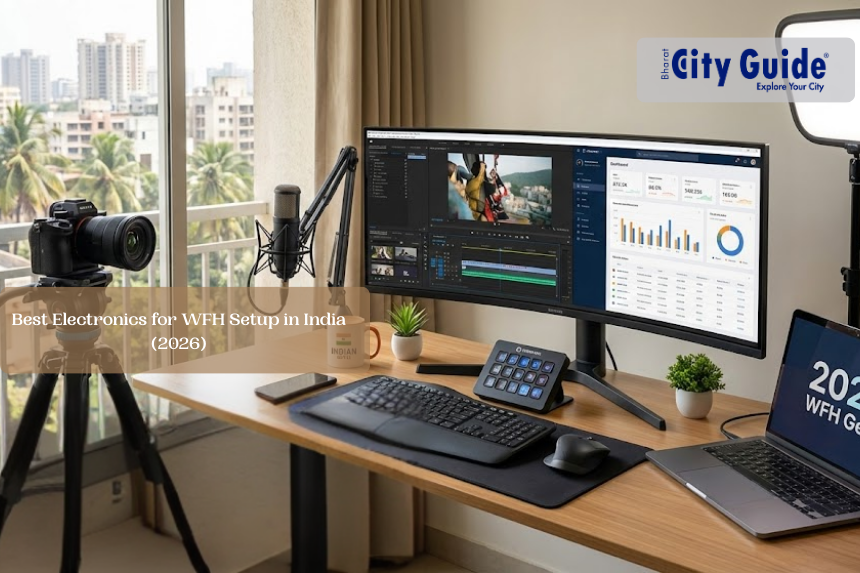
Introduction: Why WFH Electronics Matter More Than Ever in 2026
A dropped Zoom call during a client presentation. Background noise from a ceiling fan or kids at home. Laptop battery dying mid-analysis.
For millions of Indian professionals working from home in 2026—business analysts, content creators, wellness coaches, freelancers, consultants—electronics are no longer optional accessories; they are career infrastructure.
- Introduction: Why WFH Electronics Matter More Than Ever in 2026
- Why the Right WFH Electronics Are Critical in India
- Key Features Explained Simply (For Non-Tech Users)
- Real-Life WFH Use Cases (India-Specific)
- Top Electronics for WFH Setup in India (2026)
- Pros and Cons (Straight Talk)
- Price Range & Buying Tips in India (2026)
- Who Should Buy — And Who Can Skip
- Common Mistakes Indian WFH Users Make
- Things No One Tells You (But Matter)
- Best Alternatives (Budget-Friendly)
- Electricity Consumption Impact
- How to Increase Device Lifespan
- Future Relevance (2026–2030)
- Final Verdict: Best WFH Starter Combo (2026)
- 5-Point Quick Summary
- Frequently Asked Questions (FAQ)
Post-2025 hybrid mandates have permanently reshaped how India works. Nearly 40% of the urban workforce now operates fully or partially from home, according to industry estimates. Yet Indian homes weren’t designed as offices. Voltage fluctuations, dusty environments, thick walls, power cuts, and family interruptions remain daily realities—especially in cities like Rajkot, Ahmedabad, Indore, and Tier-2 hubs.
This guide curates 7 India-tuned electronics that create a distraction-free, professional WFH setup in 2026—without needing IT expertise or burning money. Whether you’re editing videos, hosting client calls, analyzing data, or running online coaching sessions, these tools can boost productivity by up to 30% while protecting your health and reputation.
Why the Right WFH Electronics Are Critical in India
1. Indian Homes ≠ Office Environments
Unlike corporate offices, Indian homes face:
- Voltage fluctuations and power cuts
- Dust and heat (35–45°C summers)
- Noise from family, traffic, and appliances
- Thick concrete walls affecting Wi-Fi
Electronics designed for global markets often fail here unless carefully chosen.
2. Professional Image = Income
In 2026, video quality, audio clarity, and posture matter. A blurry webcam or echo-filled call can cost you clients, contracts, or promotions—especially on platforms like Zoom, Google Meet, Teams, and LinkedIn Live.
3. Health Is Productivity
Long hours on bad keyboards, poor lighting, or wrong posture lead to:
- Wrist pain (RSI)
- Neck and back strain
- Eye fatigue and headaches
Smart electronics reduce medical costs and downtime—saving ₹2,000+ per month long-term.
Key Features Explained Simply (For Non-Tech Users)
Before buying, understand why these features matter:
- High-Quality Webcam & Mic: Sharp video and clean voice build trust in calls
- Active Noise Cancellation (ANC): Blocks fan, AC, traffic, kids
- Ergonomic Design: Prevents pain during 6–8 hour workdays
- Multi-Port USB-C Hub: Solves cable chaos; enables dual screens
- Wi-Fi 6 / Mesh Router: Stable internet through walls
- Adjustable Laptop Stand: Eye-level screen = better posture
No jargon—just practical benefits.
Real-Life WFH Use Cases (India-Specific)
Content Creators & YouTubers
- Webcam + mic for talking-head videos
- External monitor via hub for editing timelines
- ANC headset to record voiceovers despite background noise
Business Analysts & Consultants
- Ergonomic keyboard and mouse for reports
- Dual-screen setup via USB hub
- Stable Wi-Fi for dashboards and client calls
Wellness Coaches & Online Trainers
- Speaker-grade microphone for sessions
- Proper camera angle for trust and engagement
- Noise-free audio during guided sessions
Everyday WFH Professionals
- Router survives monsoon outages
- Stand improves posture during long meetings
- Reliable gear even during Gujarat power fluctuations
Top Electronics for WFH Setup in India (2026)
Best Electronics Comparison Table
| Gadget | Key Specs | Price (₹) | Productivity Gain | Best For |
| Logitech C920 Webcam | 1080p, Autofocus, Dual Mic | 5,499 | Professional video | Zoom / Teams |
| Logitech Wave Keys Keyboard | Ergonomic, Wireless | 3,999 | Wrist comfort | Typing marathons |
| Sony WH-1000XM5 Headset | ANC, 30hr battery | 24,990* | Noise elimination | Calls & focus |
| Portronics 7-in-1 USB Hub | 100W PD, HDMI 4K | 2,499 | Multi-screen work | Laptops |
| eero 6+ Mesh Router | Wi-Fi 6, Thick walls | 4,499 | Stable internet | Homes |
| Lifelong Ergonomic Stand | Adjustable riser | 1,299 | Neck health | Posture |
| Jabra Evolve2 Mic | Boom mic, ANC | 8,999 | Crystal audio | Podcasts |
*Headset is premium; core setup stays under ₹20k
Prices based on India listings, Jan 2026
Pros and Cons (Straight Talk)
Pros
- Instantly improves professional image
- Built for Indian dust, heat, and voltage
- Energy-efficient (5-star where applicable)
- 2–4 year usable lifespan
Cons
- Mesh routers need initial app setup
- Budget stands have weight limits
- Premium headsets cost more upfront
Still far better than relying on laptop-only setups.
Price Range & Buying Tips in India (2026)
- Core WFH setup: ₹1,299 – ₹8,999
- Complete professional setup: ~₹25,000
- Sales to watch: Back-to-Office, Diwali, Independence Day
- EMI options: ₹500–₹800/month on Flipkart/Amazon
- Offline demos: Croma, Reliance Digital for webcams & keyboards
Who Should Buy — And Who Can Skip
Buy If You:
- Work 4+ hours daily from home
- Attend client or team video calls
- Create content, reports, or online services
- Are freelance, hybrid, or fully remote
Avoid If You:
- Work fully offline
- Use WFH only occasionally
- Already have a fully loaded office setup
Common Mistakes Indian WFH Users Make
- Using laptop webcam only → Looks unprofessional
- Ignoring ANC → Noise kills focus
- No USB hub → Cable mess & limited screens
- Flat keyboards → Wrist pain in 6 months
- Weak routers → Call drops during meetings
Fixing these delivers immediate ROI.
Things No One Tells You (But Matter)
- Webcams auto-correct lighting—no ring light needed initially
- Laptop stands reduce internal temperature by ~10°C
- USB-C hubs can output 4K @ 60Hz, ideal for editing
- Ergonomic keyboards pair with multiple devices
- Mesh routers auto-expand—future-proofing your home
Best Alternatives (Budget-Friendly)
- Webcam Alternative: Logitech C270 (₹2,500)
- Headset Alternative: boAt Nirvana ANC (₹4,000)
- USB Hub Alternative: Zebronics 7-in-1 (₹1,800)
Great for beginners or secondary setups.
Electricity Consumption Impact
- Router: ~15W (always on)
- Webcam: ~5W per call
- Hub & peripherals: Minimal
Total increase: ~10 units/month (~₹80–₹100)
WFH still cheaper than commuting.
How to Increase Device Lifespan
- Clean dust weekly
- Update firmware quarterly
- Use cable organizers
- Store stands folded when not in use
- Avoid heat exposure
Expect 4–5 years of solid performance.
Future Relevance (2026–2030)
- AI microphones auto-transcribe meetings
- 8K webcams become standard
- Wireless peripherals via Matter protocol
- VR and mixed-reality meetings grow
Investing now prepares you for future workflows.
Final Verdict: Best WFH Starter Combo (2026)
Logitech C920 Webcam + Wave Keys Keyboard + Portronics USB Hub
Total: ~₹11,900
This trio alone transforms any room into a professional, client-ready WFH setup. Add router and stand as upgrades. Smart investment. Immediate returns.
5-Point Quick Summary
- Logitech C920 (₹5.5k): Sharp, professional video
- Wave Keys (₹4k): Ergonomic typing comfort
- Portronics Hub (₹2.5k): Connectivity solved
- eero Router (₹4.5k): Lag-free calls
- Lifelong Stand (₹1.3k): Posture protection
Frequently Asked Questions (FAQ)
Q1. Is an external webcam really necessary in 2026?
Yes. Laptop webcams still lag in clarity and angle. External webcams instantly improve professionalism.
Q2. Can I build a WFH setup under ₹15,000?
Absolutely. Webcam + keyboard + stand + hub fits under ₹15k.
Q3. Are mesh routers worth it for Indian homes?
Yes—especially for thick walls and multi-room homes common in India.
Q4. Is ANC important if I work at home?
Very. Fans, ACs, traffic, and family noise reduce focus dramatically.
Q5. How long will this setup last?
With care, 4–5 years easily—covering most of this decade.